But when you work with sensitive business information, you also want to know what happens to your data. Where is AI processed? Is your data used to train models? And who decides what the AI actually does?
At ISOPlanner, we keep it clear. You decide whether to use AI, your data is not used to train AI models and you stay in control of the suggested actions.
These are the principles of our approach to AI:
- Off by default: an administrator decides whether the AI Assistant is enabled.
- Processing within the EU: the AI services run in an EU region of Microsoft Azure.
- No training on your data: your prompts and responses are not used to train AI models.
- You decide: the AI does not make changes or take actions without the required confirmation.
Below, you can read how we put this into practice.
1. You decide whether to use AI
The AI Assistant is off by default. This is in line with the principle of privacy by default: features that process personal data or business information are not enabled automatically.
An administrator can activate the AI Assistant via Admin › Settings › Automation. The administrator can also disable the assistant again there.
AI features are marked with an AI icon, so you can always see when you are using an AI feature.
In other words, you decide whether your organisation uses AI within ISOPlanner.
2. AI processing via Microsoft Azure in the EU
ISOPlanner uses Microsoft AI Services for its AI features. Processing takes place in an EU region of Microsoft Azure.
This means that for these AI features we use the Microsoft infrastructure that fits our platform. We do not engage any other AI providers for this.
Microsoft states that prompts and responses for the relevant Azure AI services are not used to train the underlying models and are not made available to other customers.
Microsoft also applies automated checks to detect abuse of its services. Depending on the applicable terms and circumstances, limited human review may take place when there are signs of possible abuse.
Read Microsoft’s official explanation of data protection and privacy for Azure OpenAI and the relevant AI services:
Microsoft: Data, privacy, and security for Azure OpenAI
3. Your data is not training material
The information you manage within ISOPlanner may be confidential. That is why it is important to know what that data is and is not used for.
No training on your data
We do not use your data, prompts or AI responses to train AI models.
No shared customer memory
AI requests are provided with the context needed for the relevant feature and your organisation. There is no shared AI memory in which data from different ISOPlanner customers is mixed.
Context tailored to the feature
The AI receives the information it needs to carry out a request. Exactly what information that is depends on the feature being used.
4. The AI makes suggestions. You stay in control.
AI can help analyse, write and organise information. But a suggestion is not the same as a decision.
That is why the AI Assistant in ISOPlanner is designed to support your work, while you decide what you adopt.
Risks
For example, let the AI suggest controls or revise texts. Suggested changes are only saved after you confirm them.
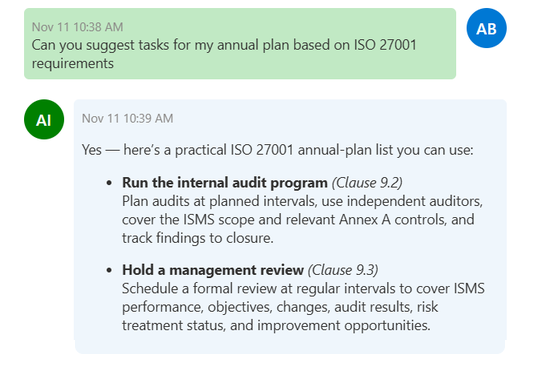
Annual plan
The AI helps you come up with and adjust tasks. You decide which suggestions to include in the annual plan.
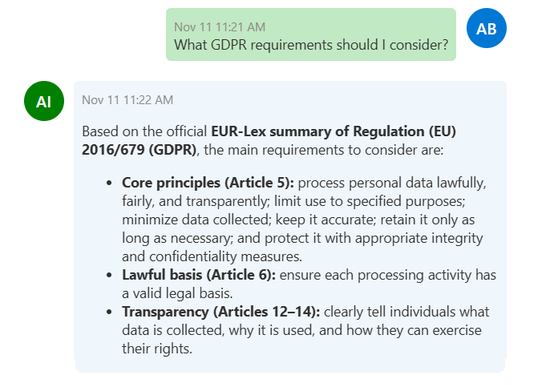
GDPR check
The AI gives advice on a processing activity. The assistant does not change the activity on its own.
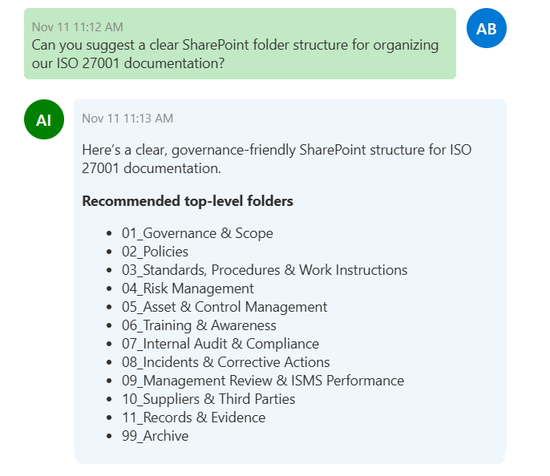
Library
The AI can suggest a folder structure in SharePoint and help organise documents. The suggested structure is only applied after you have confirmed the folders.
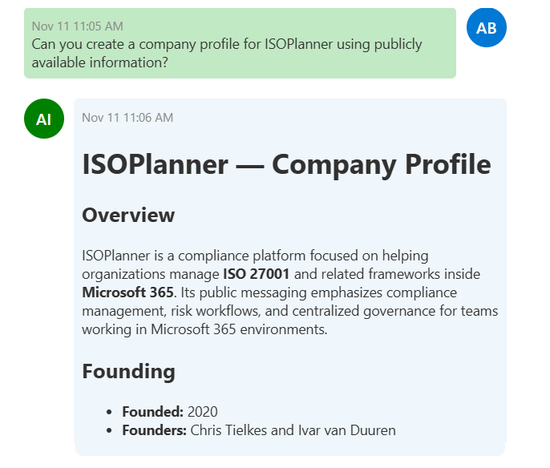
Company profile
The AI can gather information from public sources to prepare your company profile. You review the result, can adjust it and confirm it before adopting it.
The exact confirmation step differs per feature. The principle remains the same: AI supports your work, but does not take over your responsibility.
5. AI and privacy: what does this mean for your organisation?
Using AI does not remove your information security and privacy obligations. Even with an AI Assistant, you remain responsible for how your organisation handles data.
That is why it is wise to decide in advance which employees may use AI, what information is suitable for it and which internal agreements apply.
Our principle is that the use of AI within ISOPlanner is in line with our existing agreements on privacy and data protection.
Read also:
The fastest way to know if ISOPlanner™ fits your organisation is to let us show you in a demo or try it yourself.