
100% Hosted in the EU
Each risk in ISOPlanner™ moves through a defined lifecycle:
1. Identify - Log the risk, link it to assets, assign an owner, and describe the potential impact.
2. Assess - Score likelihood and impact against your organisation's risk model and map the risk to its mitigating controls.
3. Treat - Record the treatment decision — avoid, transfer, mitigate, or accept, and set a review date.
4. Review - Update status during review cycles. Every change is documented and traceable.

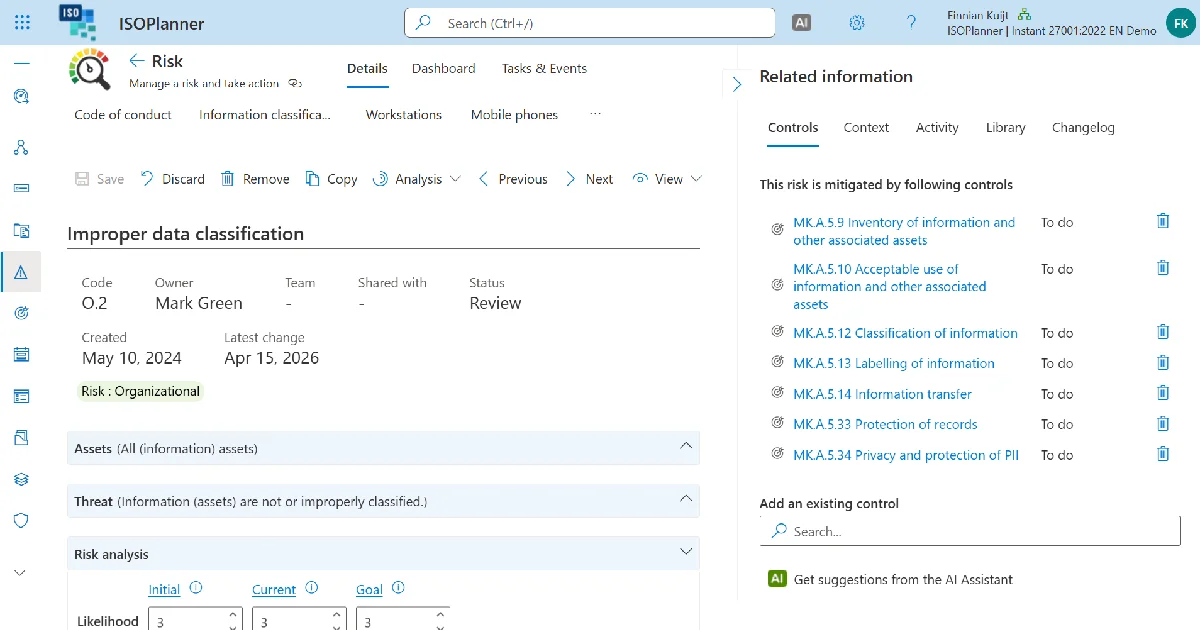
The risk dashboard gives a complete picture of your compliance posture in one view. Risk status, linked controls, findings, non-conformities, and incidents are shown together, including a comparison with the previous period. Tag categories for findings, non-conformities, and incidents feed the dashboard automatically, so the information is always current without manual reporting.
Risks connect directly to their mitigating controls. When a control is reviewed or found ineffective, the affected risks surface immediately.
With the AI Assistant enabled, ISOPlanner™ suggests which controls to prioritise based on your highest risks, their current status, and implementation progress, helping you focus monitoring effort where it matters most.

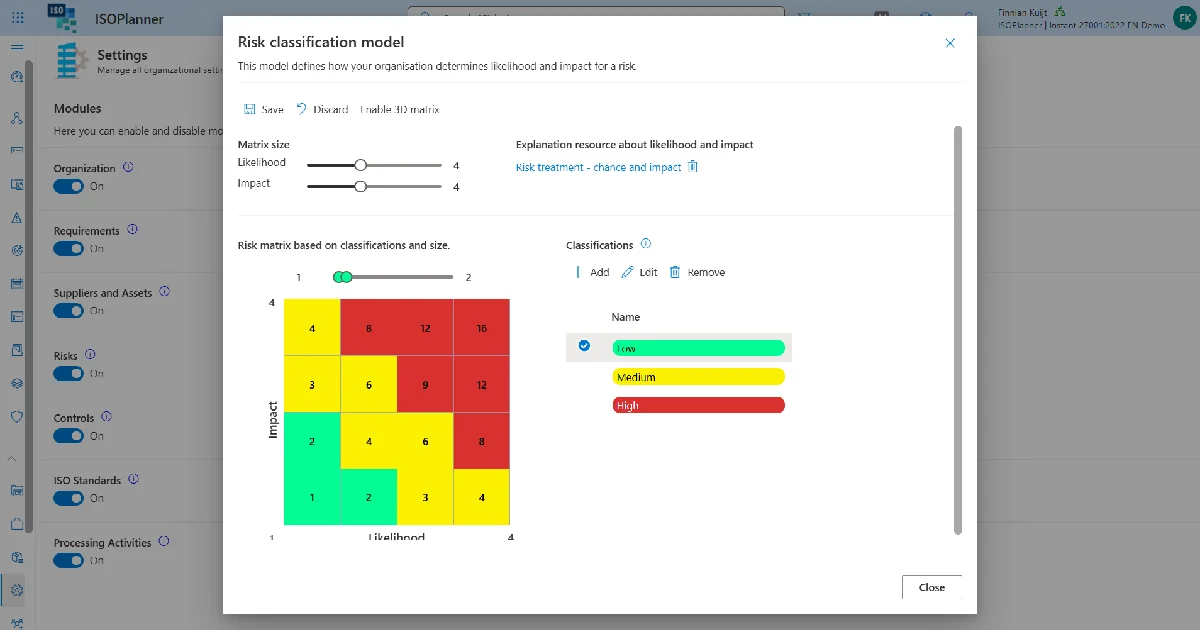
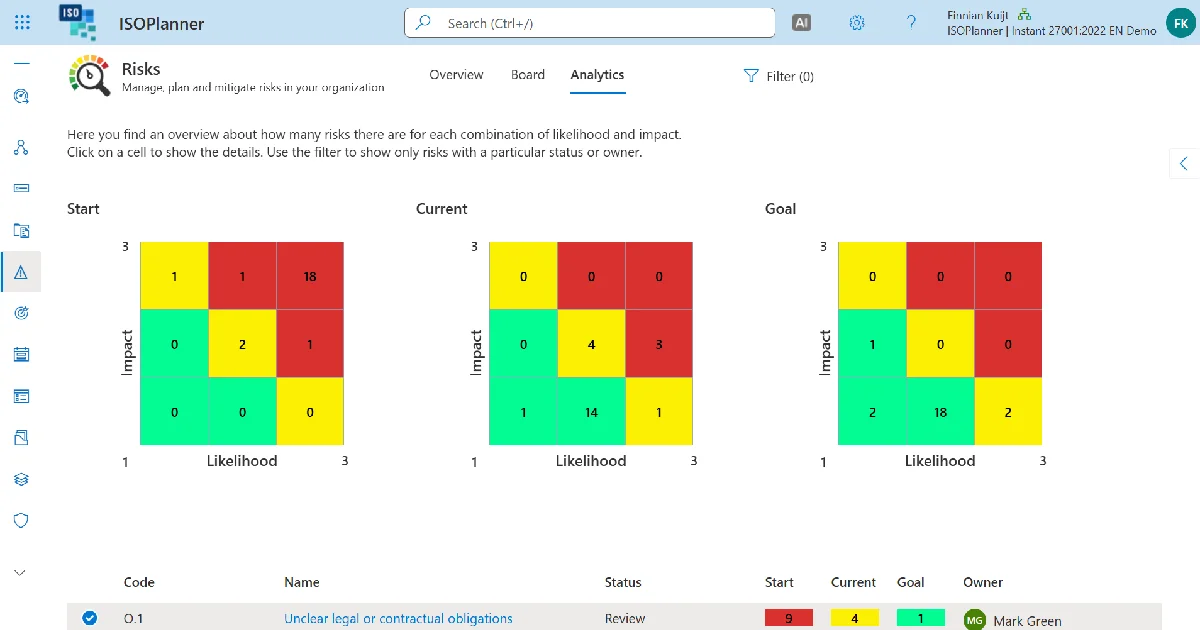
Risk heatmaps for visual orientation, management reports for leadership briefings, and dashboards showing linked controls, findings, non-conformities, and incidents per risk.
Risk models vary by organization, industry, and standard. ISOPlanner™ lets you configure your own scoring methodology and define what constitutes low, medium, and high risk. Premium users can add a custom third dimension like 'Exposure time' for ISO standards like ISO 13849.
01.
What does risk management mean for ISO 27001?
ISO 27001 requires organizations to identify, assess, and treat risks to information security. This includes logging what could go wrong, scoring the likelihood and impact, deciding on a treatment approach, and documenting the decision. The risk register is one of the first things an auditor reviews.
02.
How does ISOPlanner™ structure the risk management workflow?
Every risk moves through a defined lifecycle: identify, review, and accept. Each stage is documented and traceable. Risks are scored against your organization's risk model, treatment decisions are recorded, and review dates are set. Nothing sits unreviewed indefinitely.
03.
What treatment options does ISOPlanner™ support?
Four standard options: avoid (eliminate the activity that creates the risk), transfer (shift the risk via insurance or a contract clause), mitigate (implement controls to reduce likelihood or impact), and accept (carry the risk with the reasoning on record). Each decision is stored permanently against the risk. Auditors see the full history, not just the current state.
04.
Can we configure the risk scoring model?
Yes. ISOPlanner™ lets you define your own scoring methodology and set what counts as low, medium, and high risk for your environment. Organizations on the Premium plan can use a 3D Risk Matrix, adding a third axis to the standard likelihood vs. impact model for residual risk scoring or control effectiveness weighting.
05.
How do risks connect to controls?
Risks connect directly to the controls that mitigate them. When a control is reviewed or found to be ineffective, the risks it covers become immediately visible. The link between risk and control is maintained throughout the compliance program, not just at initial setup.
06.
What reporting does ISOPlanner™ provide for risk management?
Risk heatmaps for visual orientation, management reports for leadership briefings, and dashboards showing linked controls, findings, non-conformities, and incidents per risk. The period comparison view shows how the risk landscape changed relative to the previous period. Leadership sees trends, not just point-in-time snapshots.
07.
How does ISOPlanner™ prevent risks from being ignored on paper?
Every risk has an assigned owner, a treatment decision, and a scheduled review date. The dashboard flags overdue reviews and escalating risks. When a related control changes status, the risk record updates immediately. An unreviewed risk is visibly unreviewed, not silently ignored.


Log in to your ISOPlanner™ workspace, or start a free trial.
Log in Start your free trial