
100% Hosted in the EU
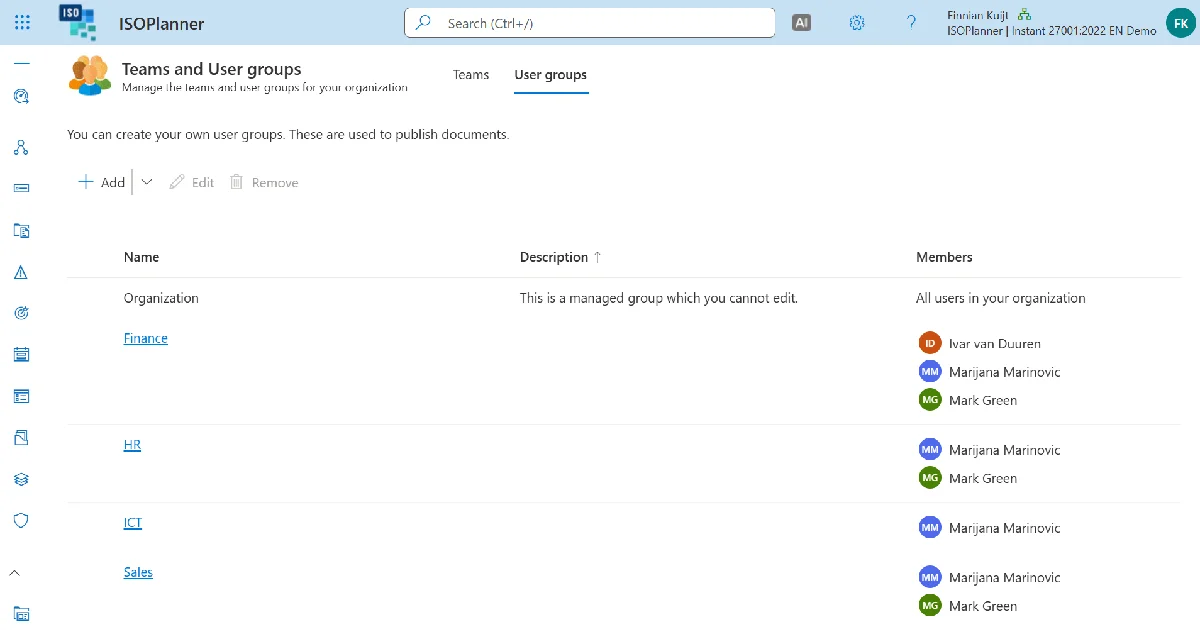
At the standard level, permissions are role-based. You decide which users or groups can access which compliance areas: risks, controls, assets, processes, tasks, and documents. A practical example: your HR team sees HR risks and HR-related controls only. Your IT team sees IT infrastructure risks and technical controls. Neither group sees the other's data. Cross-contamination of sensitive information is prevented at the platform level, not managed through trust.

External auditors and consultants need access during specific periods. ISOPlanner™ guest accounts are free. They do not require an ISOPlanner™ license. Access is managed through SharePoint permissions, which your organization already controls. MFA is inherited from your organization's Entra ID policy. When the engagement ends, you revoke the SharePoint access and the guest's visibility is removed immediately. No dedicated auditor logins. No license cost for temporary access. No shadow accounts to clean up afterward.
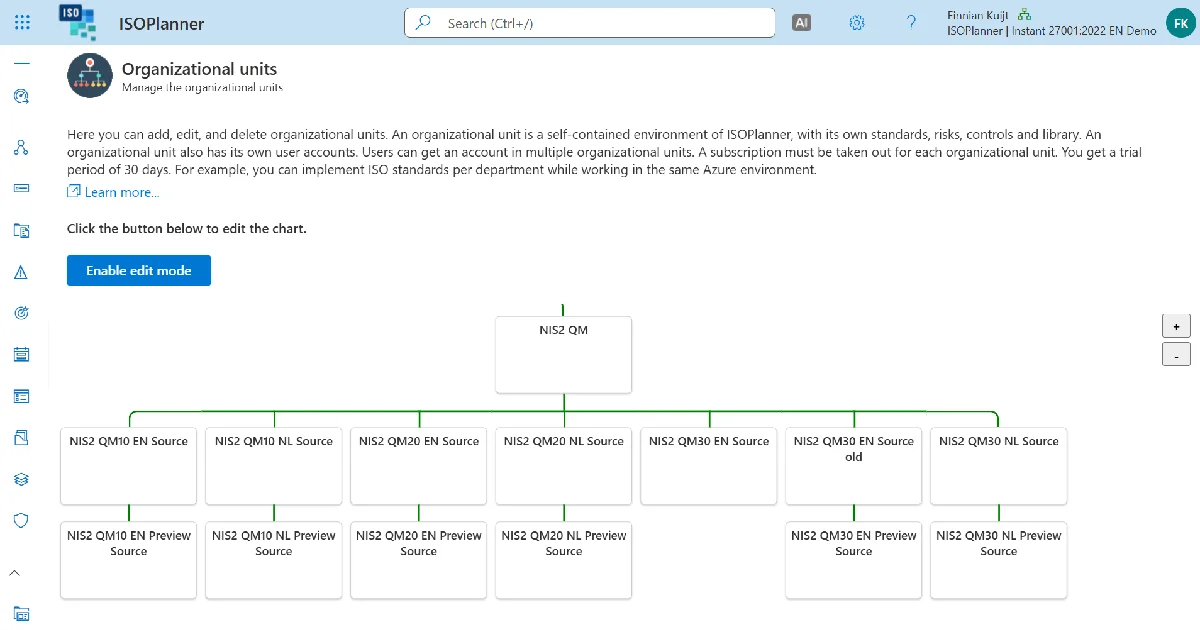
For organizations that operate across multiple legal entities, subsidiaries, or countries, the Organizational Units feature on the Premium plan creates separate compliance environments within a single ISOPlanner™ instance.
Each organizational unit has:
• Its own authentication configuration
• Its own set of users and roles
• Its own independent compliance environment
A central compliance team can distribute policies and procedures to all subsidiary units. Each unit manages its own controls, risks, and evidence independently. The parent organization retains visibility across all units without exposing subsidiary data to other units.
01.
Why does a compliance platform need access control?
Compliance programs handle sensitive information. HR risk registers should not be visible to IT teams. Subsidiary data in one country should not be visible to staff in another. ISO 27001 itself requires that access to information is controlled and limited to what each role needs. Access control is a compliance requirement, not an optional convenience.
02.
How does role-based access control work in ISOPlanner™?
You define which users or groups can access which compliance areas: risks, controls, assets, processes, tasks, and documents. Your HR team sees only HR risks and related controls. Your IT team sees only IT infrastructure risks and technical controls. Neither group sees the other's data. Access boundaries are enforced at the platform level.
03.
How do external auditors and consultants get access?
External auditors and consultants are added as guest accounts, which are free and do not require an ISOPlanner™ license. Access is managed through SharePoint permissions and MFA is inherited from your organization's Entra ID policy. When the engagement ends, you revoke SharePoint access and visibility is removed immediately. No dedicated logins, no license cost, no accounts to clean up.
04.
What are Organizational Units and when are they needed?
Organizational Units are separate compliance environments within a single ISOPlanner™ instance, available on the Premium plan. They are designed for organizations operating across multiple legal entities, subsidiaries, or countries where each unit needs its own users, roles, authentication configuration, and independent compliance environment.
05.
Can a central compliance team see across all organizational units?
Yes. A central compliance team can distribute policies and procedures from a shared SharePoint location to all subsidiary units and retain visibility across all units. Each unit manages its own controls, risks, and evidence independently, and subsidiary data is not exposed to other units.
06.
Which plan includes Organizational Units?
Organizational Units are available on the Premium plan only. Role-based access control is available on Business and Premium plans.
07.
What happens when team members change roles or leave?
Because access is tied to Microsoft 365 and SharePoint permissions, offboarding a team member through your standard Microsoft 365 process automatically removes their ISOPlanner™ access. There is no separate account to deactivate inside ISOPlanner™.




Log in to your ISOPlanner™ workspace, or start a free trial.
Log in Start your free trial