
100% Hosted in the EU
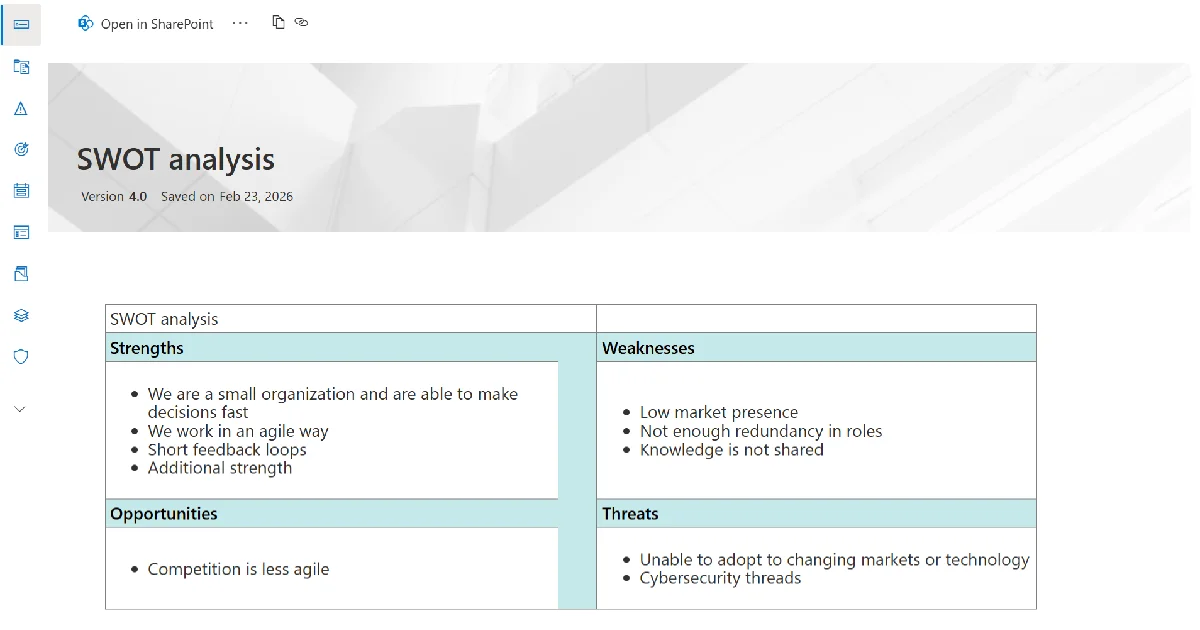
Your compliance documents stay in your own SharePoint environment. ISOPlanner™ connects to them and surfaces them automatically in the right context, alongside the assets, risks, and controls they relate to. SharePoint's built-in versioning tracks every change with a complete history. You always know which version is current and who changed what.
Your documents are yours. ISOPlanner™ reads and links them. It does not hold a copy.
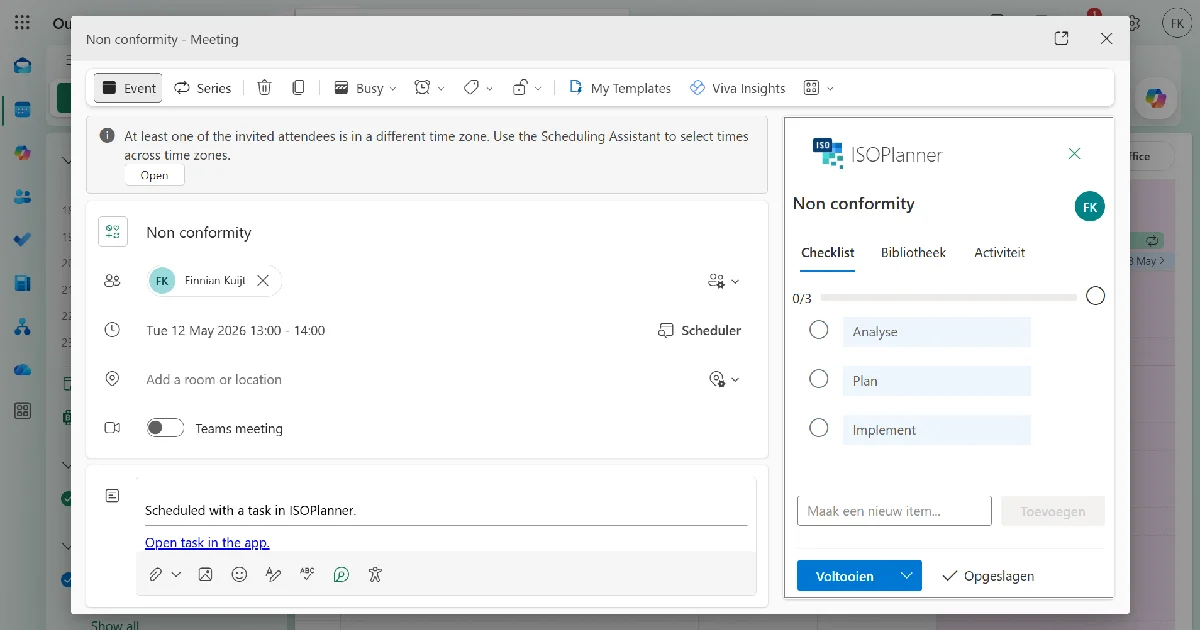
Managing compliance tasks in spreadsheets is complex, error-prone, and time-consuming. People miss updates, work from outdated versions, and spend hours chasing status. ISOPlanner™ brings compliance tasks directly into Outlook, where your team already works. Getting colleagues on board becomes significantly easier when nothing new needs to be learned.
The Outlook add-in gives every team member a task sidebar directly in their inbox:
• View task details and checklists without leaving Outlook
• Upload evidence from appointments
• Follow threaded conversations per task
• Complete and submit work from the tool they use every day
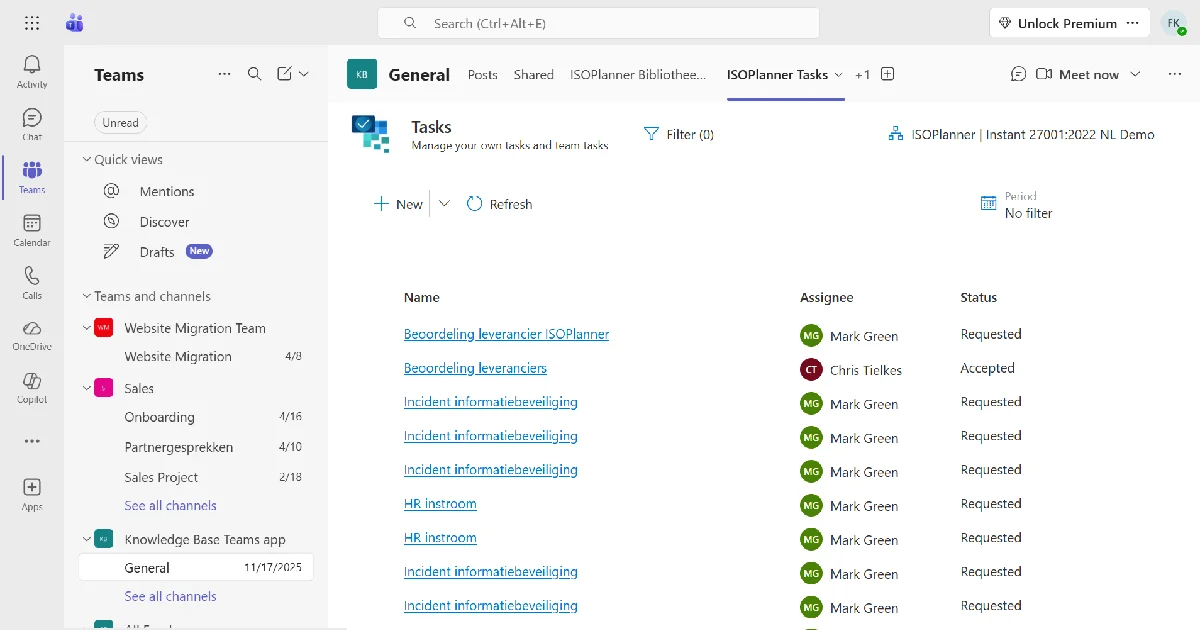
Stay informed without leaving Teams. Push compliance documents to specific channels, receive notifications when documents are updated, and complete tasks from the Teams mobile app. Managers can see which team members have reviewed critical documents, with a full audit trail.
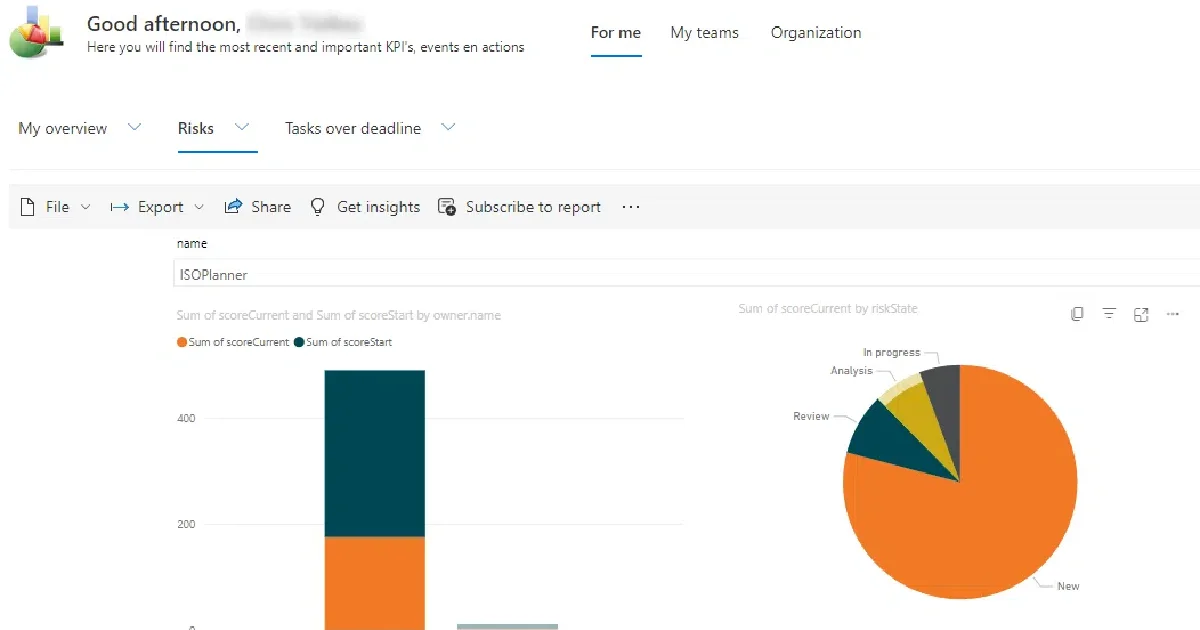
Power BI works in both directions with ISOPlanner™.
Bring data from other business systems into ISOPlanner™ dashboards, so your compliance status is visible alongside the rest of your operational data. And export ISOPlanner™ data to Power BI to build custom executive reports with automatic refresh. Leadership gets a live view of compliance status inside the reporting environment they already use.
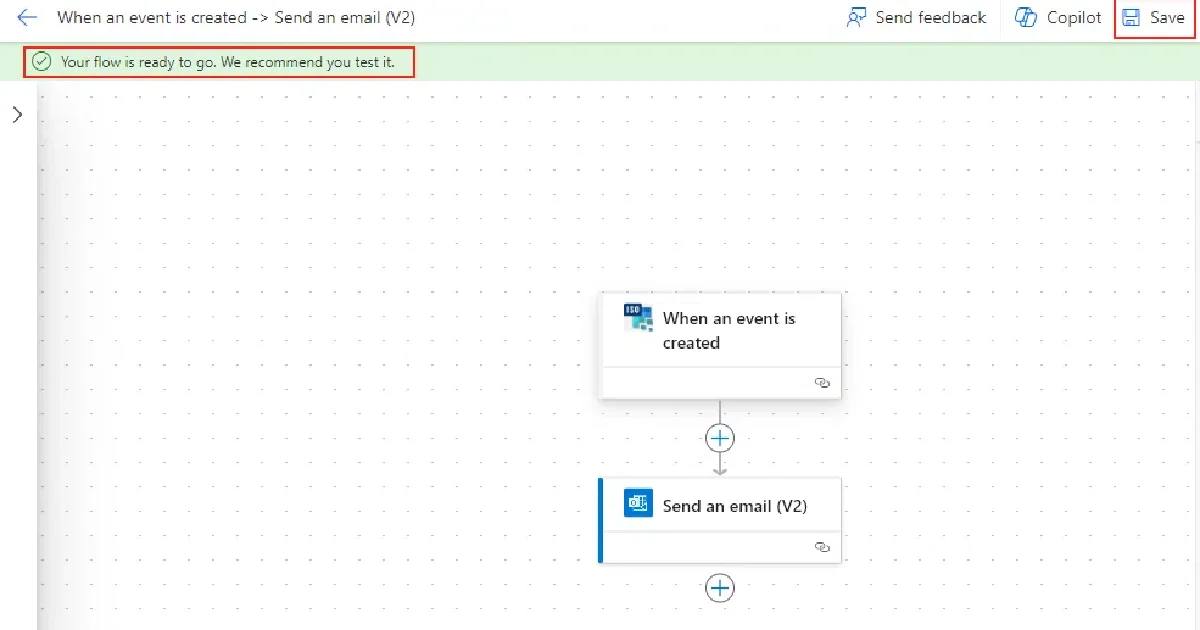
Power Automate connects ISOPlanner™ to the rest of your infrastructure. Build workflows that collect evidence automatically on a schedule, without manual intervention.
Examples of what you can automate:
• Backup verification results
• Access review outputs
• System availability logs
• Security scan results
• Policy acknowledgement records
• Periodic control checks
Results are delivered directly to ISOPlanner™, reviewed, approved, and stored against the relevant controls.
01.
What does it mean that ISOPlanner™ is built on Microsoft 365?
ISOPlanner™ runs inside your existing Microsoft 365 environment, not alongside it. Documents stay in SharePoint. Tasks appear in Outlook. Alerts go through Teams. Reporting exports to Power BI. Your team logs in with their Microsoft account. No new passwords, no separate platform, and no data leaving the Microsoft boundary.
02.
How does ISOPlanner™ use SharePoint?
All compliance documentation is stored in your own SharePoint tenant. ISOPlanner™ does not hold copies on its own servers. SharePoint's built-in versioning tracks every document change automatically. Auditors access documentation directly through the permissions your organization already controls.
03.
How does the Outlook integration work?
Compliance tasks schedule into team Outlook calendars with a single click. The native Outlook add-in gives team members a task sidebar directly in their inbox: view task details and checklists, upload evidence from an Outlook appointment, and discuss tasks in a threaded conversation without leaving Outlook.
04.
What does the Teams add-on provide?
Push compliance documents to specific Teams channels. Team members receive alerts when documents are updated. Full-text document search within Teams. Managers can track which team members have engaged with critical documents, with an audit trail. Compliance tasks are manageable from Teams mobile.
05.
How does ISOPlanner™ use Microsoft Entra ID?
Team members log in with their Microsoft account. No separate ISOPlanner™ password. MFA policy is enforced through Entra ID automatically. ISOPlanner™ can also check and document MFA status across your entire user base automatically, turning a manual compliance check into an automated evidence collection step.
06.
Can ISOPlanner™ pull Microsoft Secure Score data?
Yes. ISOPlanner™ pulls your Microsoft Secure Score and maps it to relevant ISO 27001 controls. This uses delegated user permissions only, with no admin access to your tenant required. Combined with automated MFA evidence collection, it removes a significant portion of the manual evidence work that typically happens in the weeks before an audit.
07.
Does ISOPlanner™ integrate with Power BI?
Yes. Export ISOPlanner™ data to Power BI for custom executive dashboards that refresh automatically. Leadership teams that already use Power BI for business intelligence can add compliance status to the same environment with the same access controls they already use.



Log in to your ISOPlanner™ workspace, or start a free trial.
Log in Start your free trial